

Overview
Each section below describes the implementation for one specific property or parameter:- Ever Paid (
ever_paid) - Is Bot (
is_bot) - Customer Type (
customer_type)
Ever Paid (user property)
Tracks whether a user has ever made a payment or conversion on your platform. Useful for differentiating actions of paying vs. non-paying users, especially for freemium or subscription-based businesses.Expected values
true— The user has made at least one payment.false— The user has never paid.
Implementation via Google Tag Manager
1
Create a Data Layer Variable
Create a Data Layer Variable for
ever_paid.2
Create a GTM Variable
Create a Variable inside GTM that reads that value from the dataLayer, name it 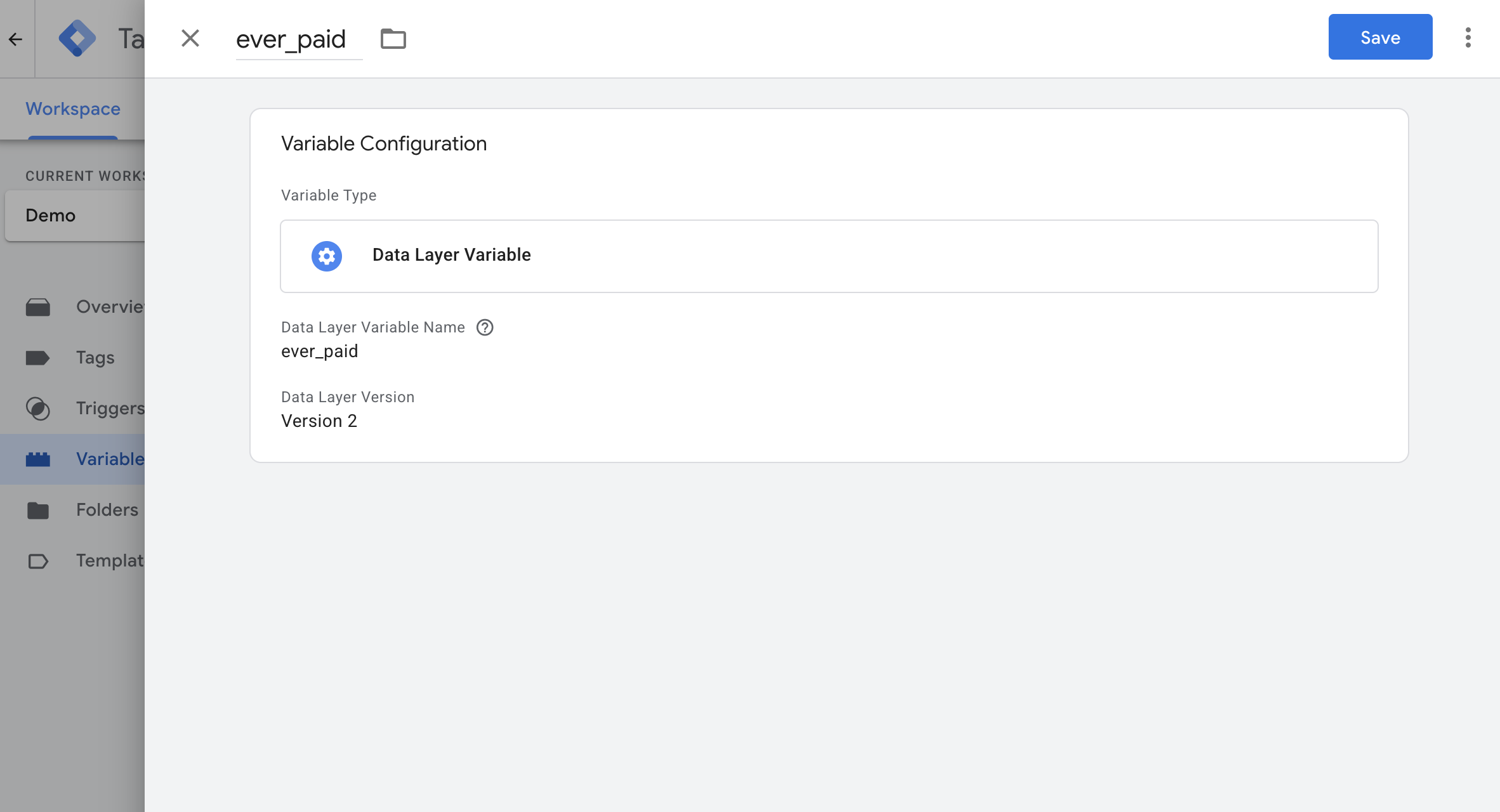
ever_paid.3
Create a GA4 Event Settings Variable
If you don’t already have one, create a GA4 Event Settings Variable.
4
Add the user property
Under the User Properties section, add:
-
Property Name:
ever_paid -
Value: Your Data Layer variable (e.g.,
{{ever_paid}})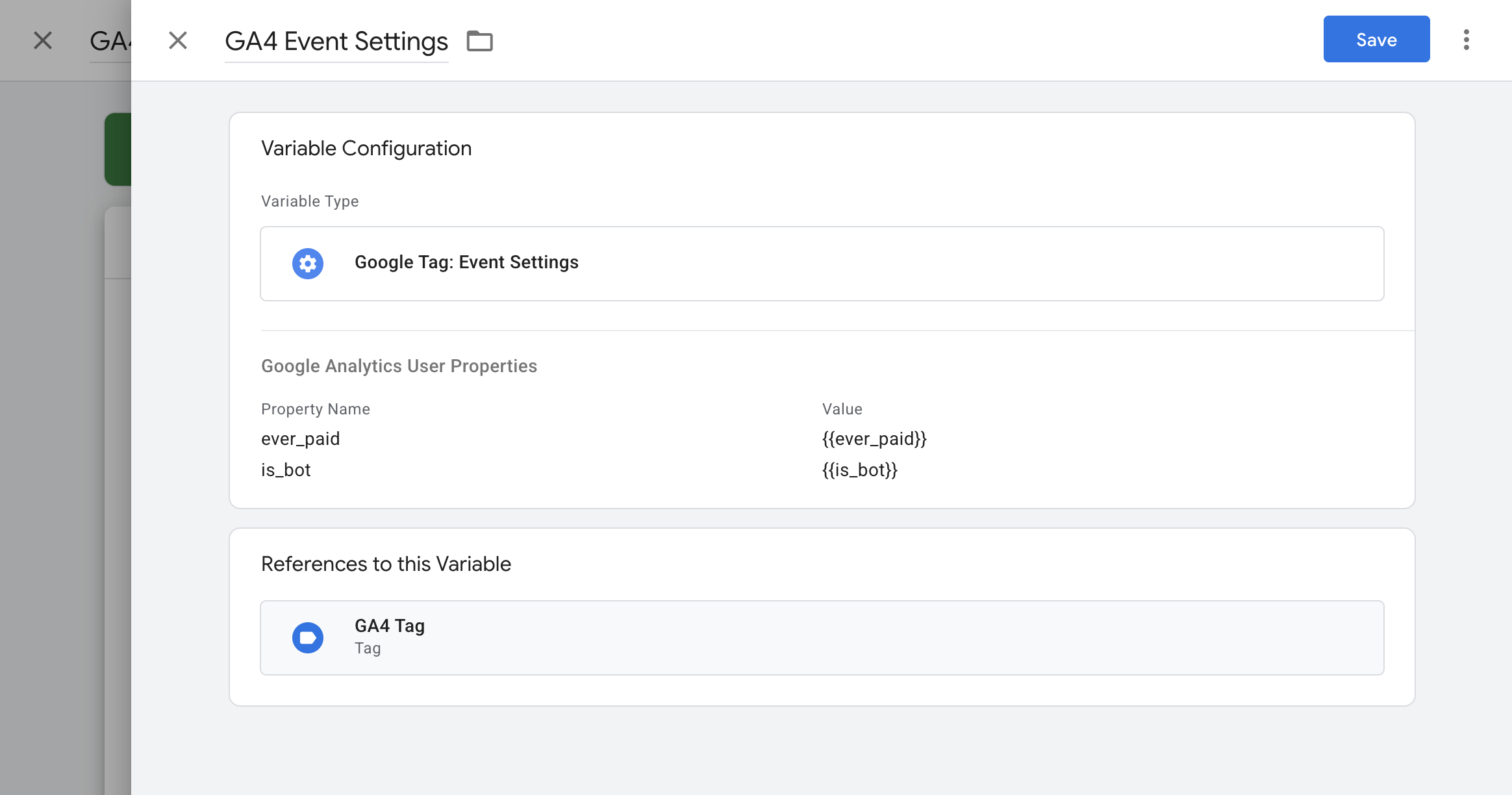
5
Apply to GA4 tags
Select this Event Settings Variable in all GA4 configuration and event tags.
Implementation via gtag.js
Create custom dimension in GA4
1
Navigate to custom definitions
Go to Admin > Data display > Custom definitions.
2
Create custom dimension
Click Create custom dimension and set:
- Scope: User
- Dimension name: ever_paid
- Description: Indicates if the user has ever paid
-
User property:
ever_paid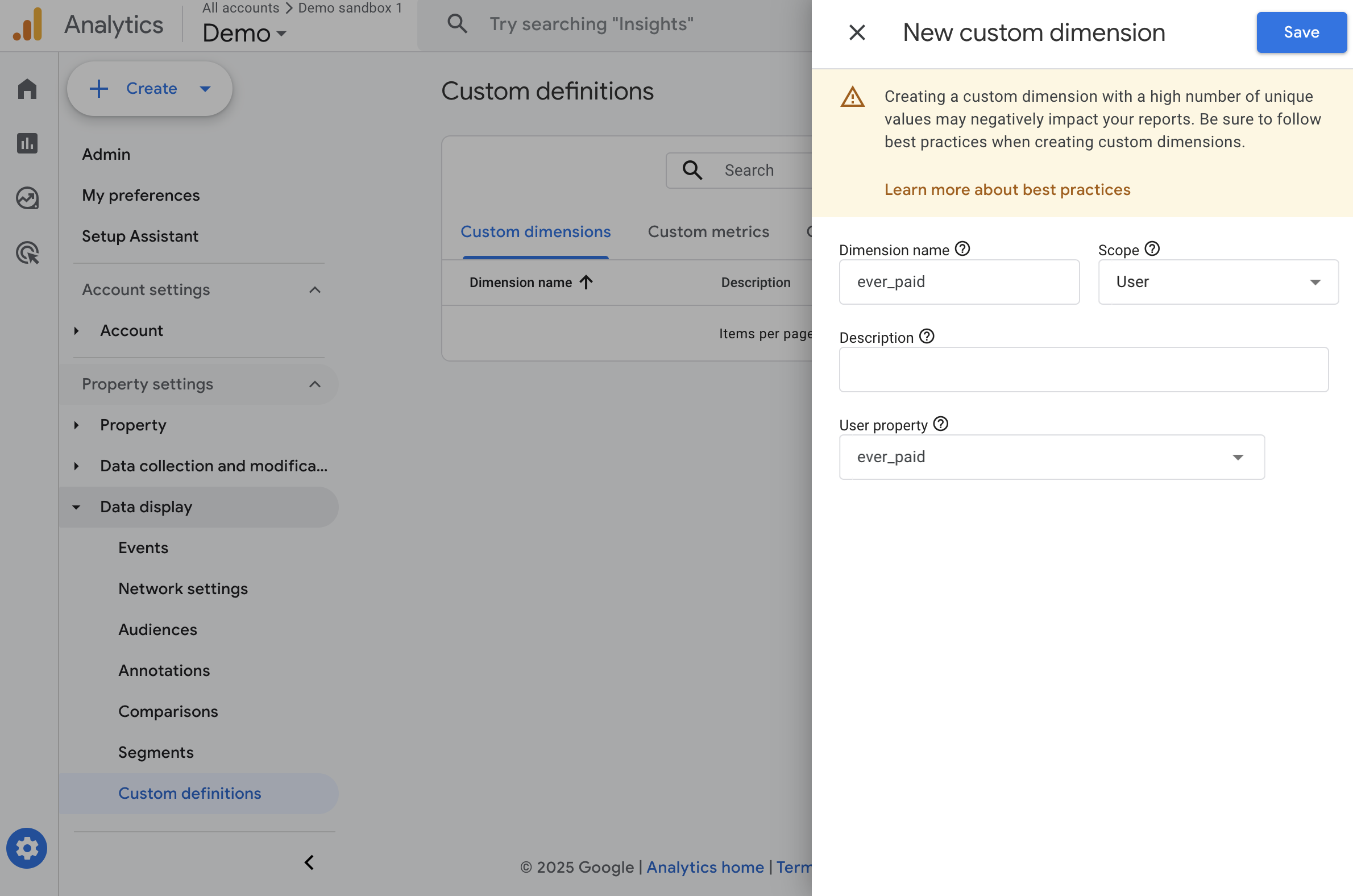
3
Save
Click Save.
Is Bot (user property)
Flags users identified as bots or automated sessions. This allows filtering out bot traffic.Expected values
true— The session/user is identified as a bot.false— The user is human.
Implementation via Google Tag Manager
1
Create a Data Layer Variable
Create a Data Layer Variable for
is_bot.2
Create a GTM Variable
Create a Variable inside GTM that reads that value from the dataLayer, name it 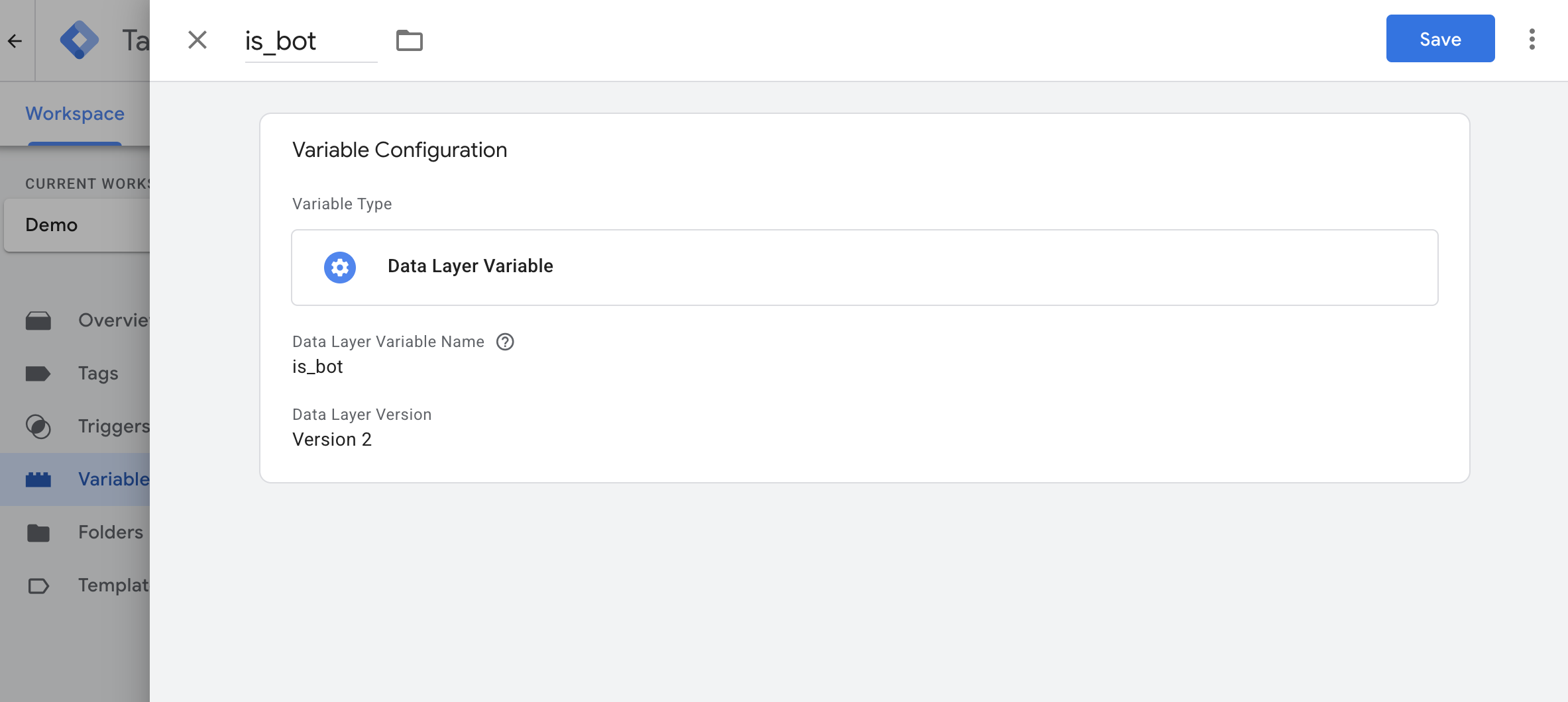
is_bot.3
Create a GA4 Event Settings Variable
If you don’t already have one, create a GA4 Event Settings Variable.
4
Add the user property
Under the User Properties section, add:
-
Property Name:
is_bot -
Value: Your Data Layer variable (e.g.,
{{is_bot}})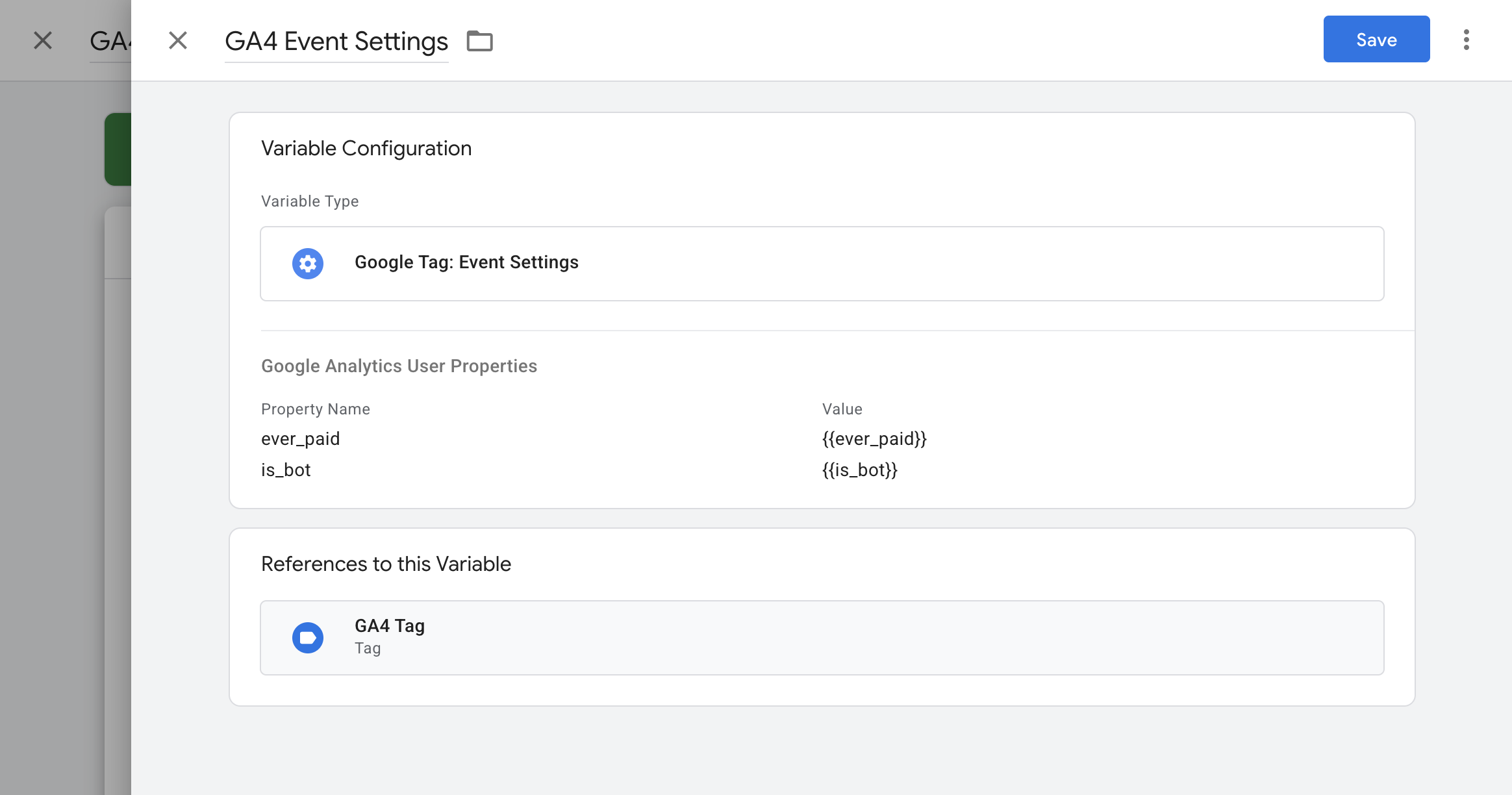
5
Apply to GA4 tags
Select this Event Settings Variable in all GA4 configuration and event tags.
Implementation via gtag.js
Create custom dimension in GA4
1
Navigate to custom definitions
Go to Admin > Data display > Custom definitions.
2
Create custom dimension
Click Create custom dimension and set:
- Scope: User
- Dimension name: is_bot
- Description: Indicates if the user is identified as a bot
-
User property:
is_bot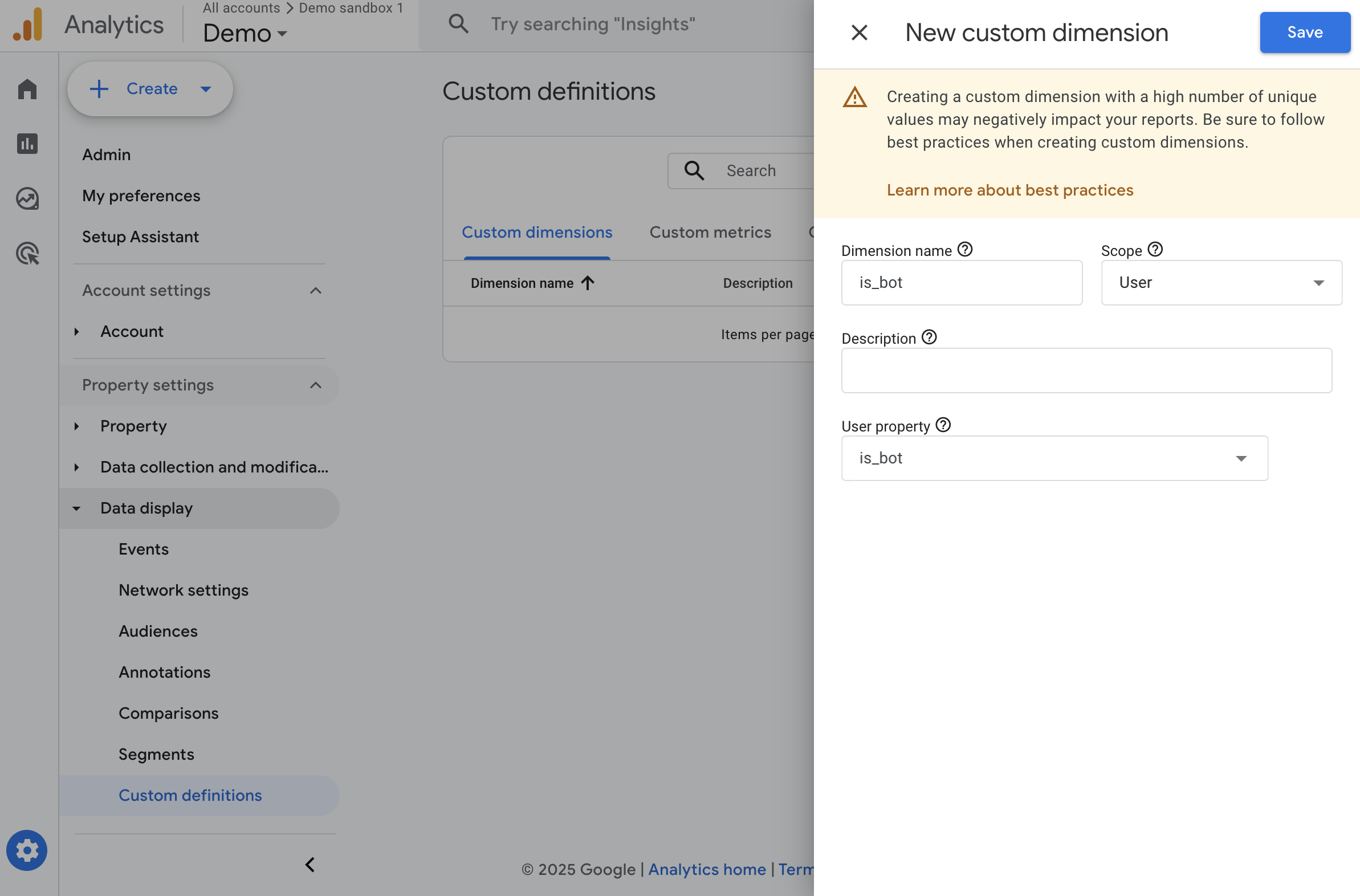
3
Save
Click Save.
Customer Type (event parameter)
Tracks whether a conversion event comes from a new or returning customer. Helps measure acquisition vs. retention performance.Expected values
new— The customer is making their first purchase.returning— The customer has purchased before.
Implementation via Google Tag Manager
1
Create a Data Layer Variable
Add a Data Layer Variable for
customer_type to the conversion dataLayer event when a user completes a transaction.2
Create a GTM Variable
Create a Variable inside GTM that reads that value from the dataLayer, name it 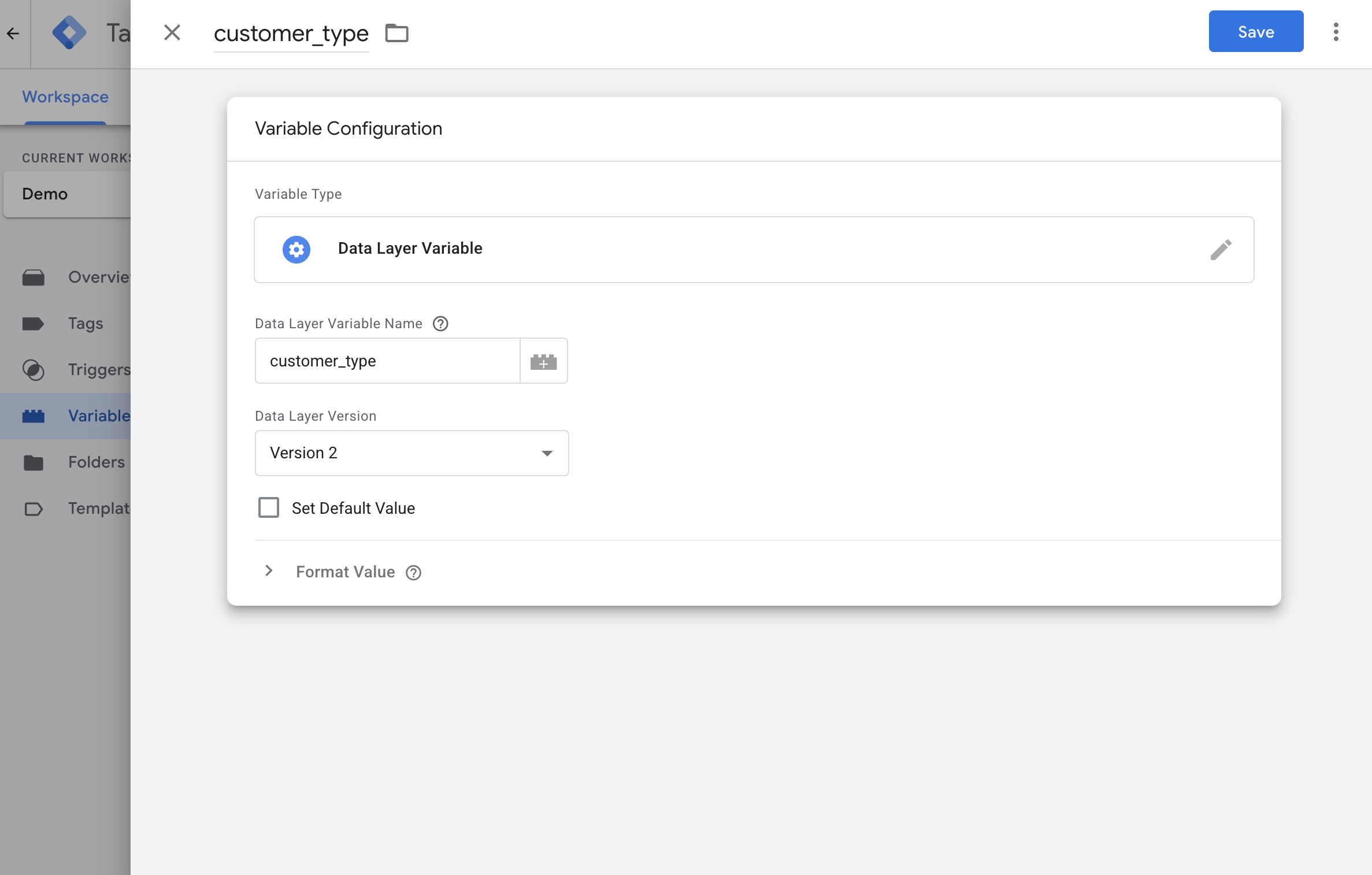
customer_type.3
Add event parameter to GA4 tag
Open your GA4 tag that tracks the conversion. Under the Event Parameters section, add:
-
Property Name:
customer_type -
Value: Your Data Layer variable (e.g.,
{{customer_type}})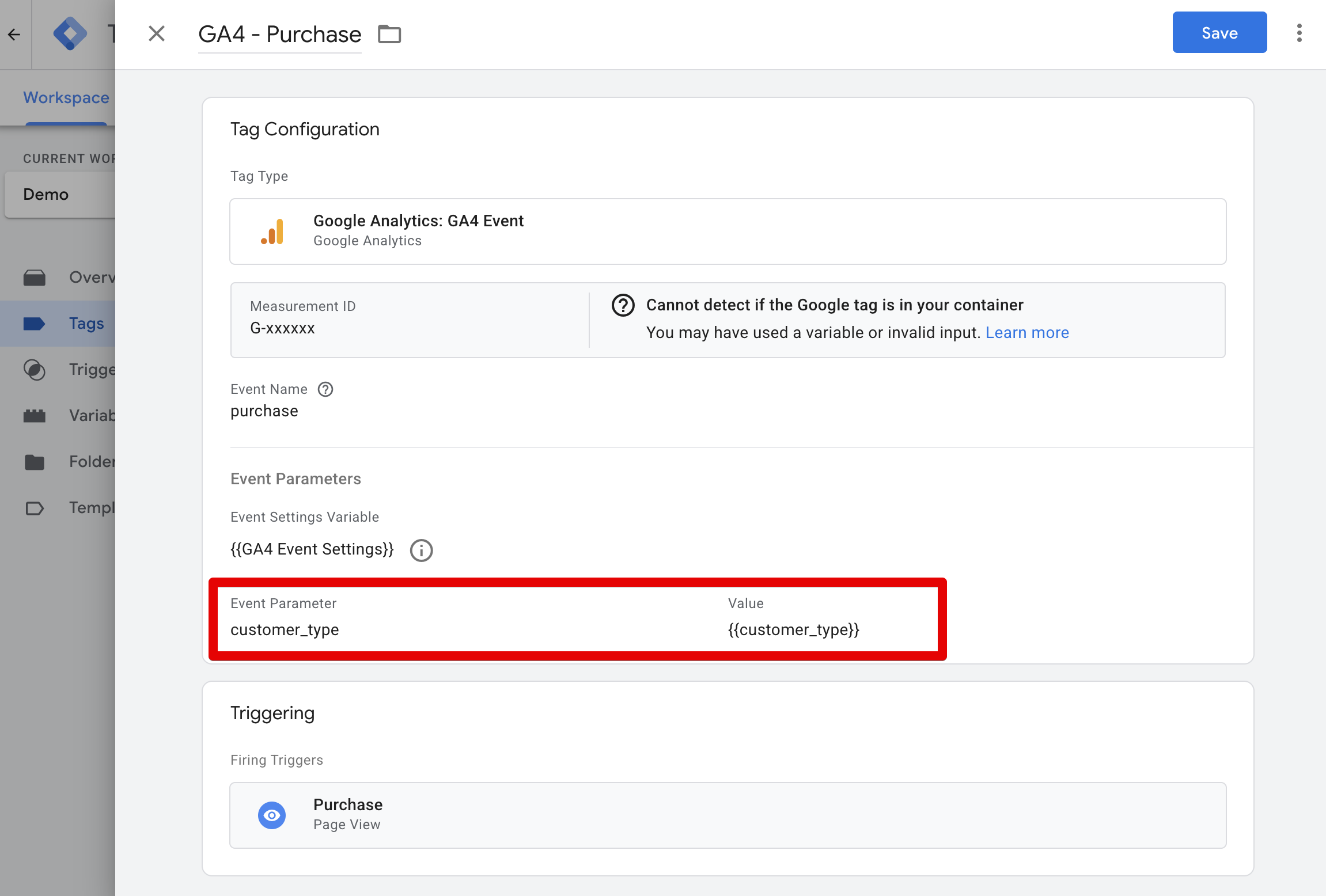
Implementation via gtag.js
Example addingcustomer_type to the purchase event: