Getting started
Ensure your Google BigQuery project is ready and billing is set up by following the Google BigQuery guide.Link a Google Analytics 4 property to BigQuery
This process must be completed by a user with Owner access to the Google Cloud project. The Owner role is assigned to the user who created the project, but you can also grant this permission through the Google Cloud Project IAM page.1
Select your GA4 property
Go to Google Analytics 4 and select the property where your data is collected.
2
Open Admin settings
Click on the Admin button.
3
Navigate to BigQuery links
In the Product Links section, click BigQuery links.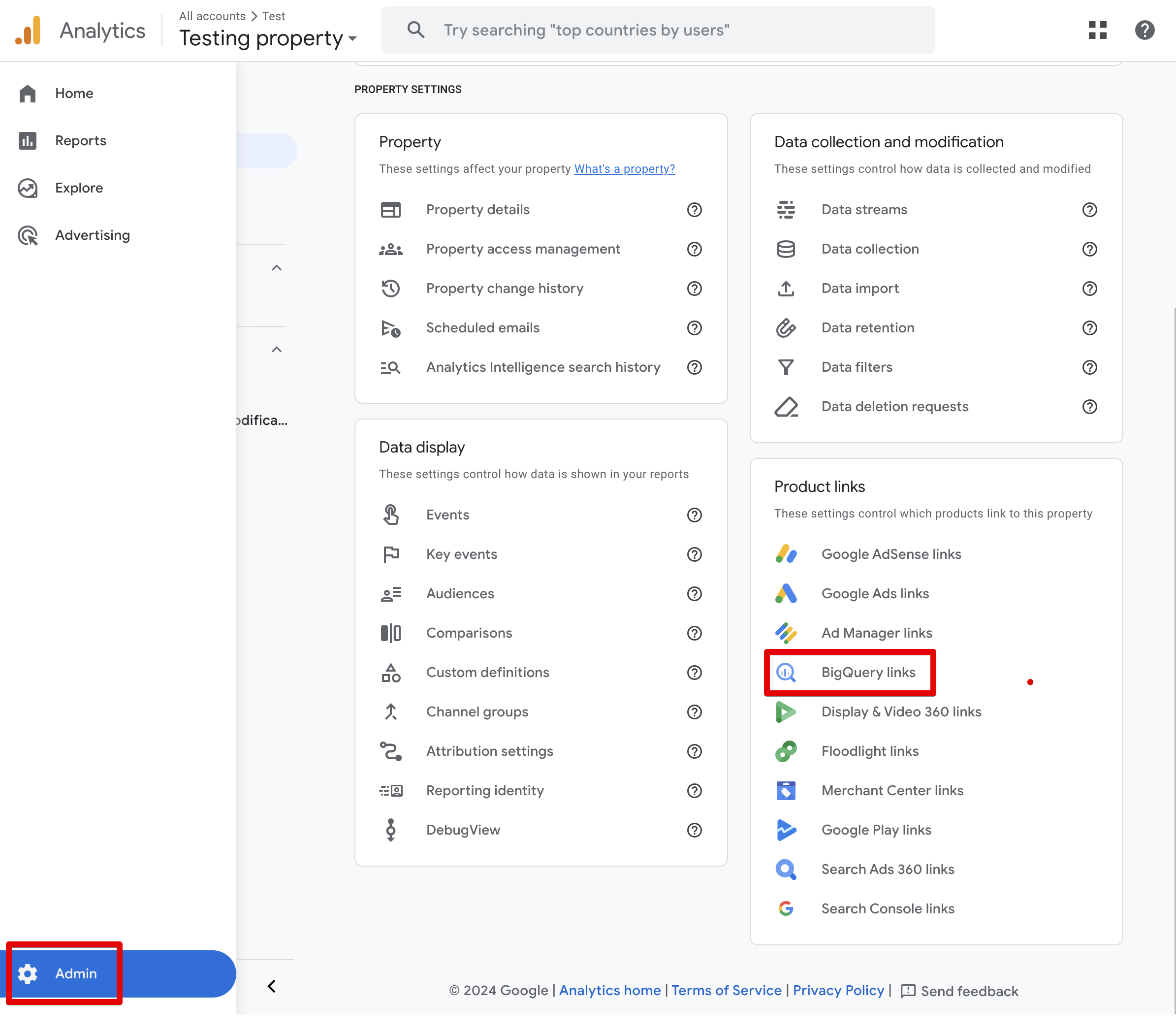
4
Configure the BigQuery link
- Click Link > Choose a BigQuery project.
- Select the BigQuery project you created.
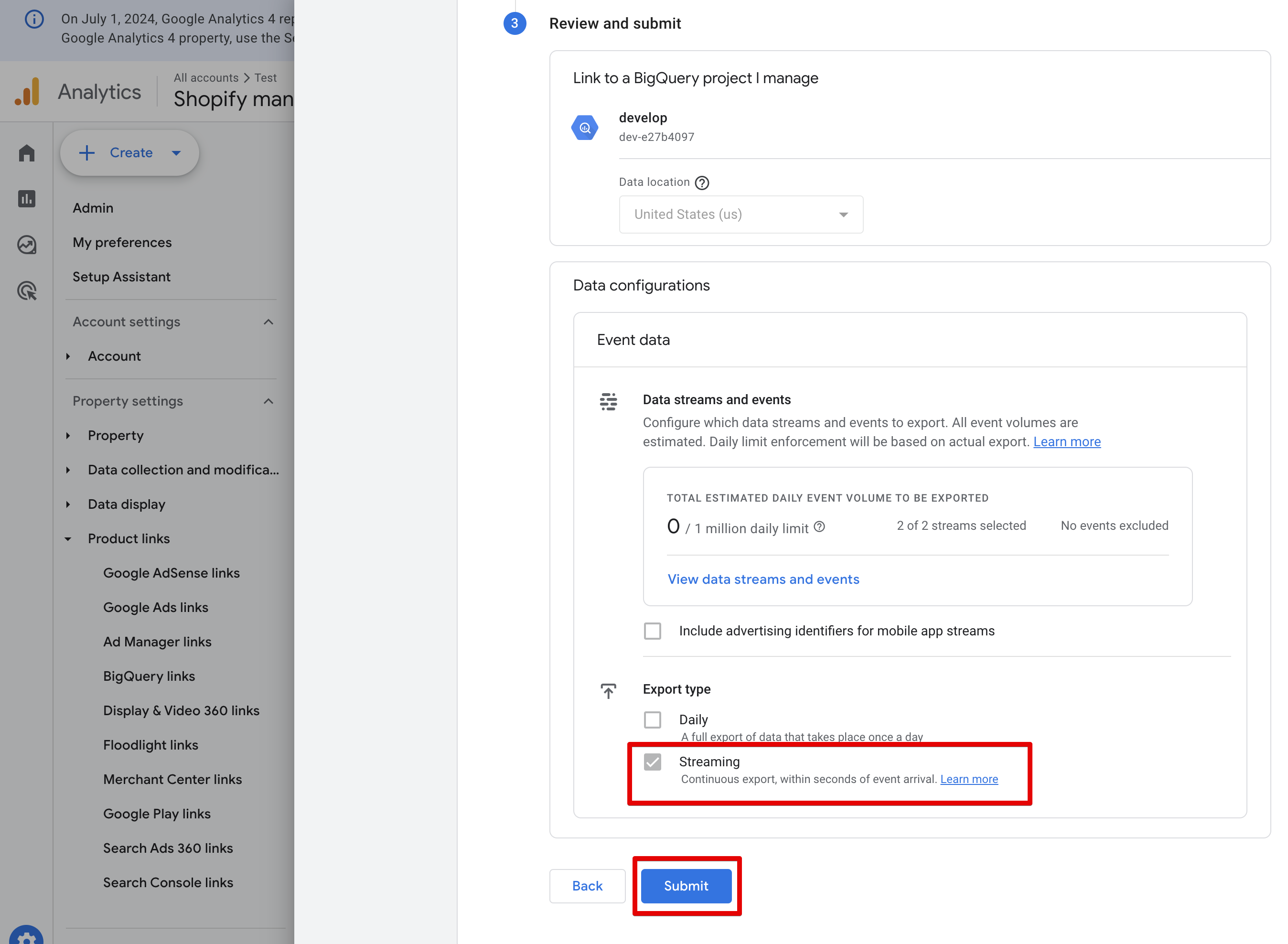
- Select the Data location that matches your business’s region.
-
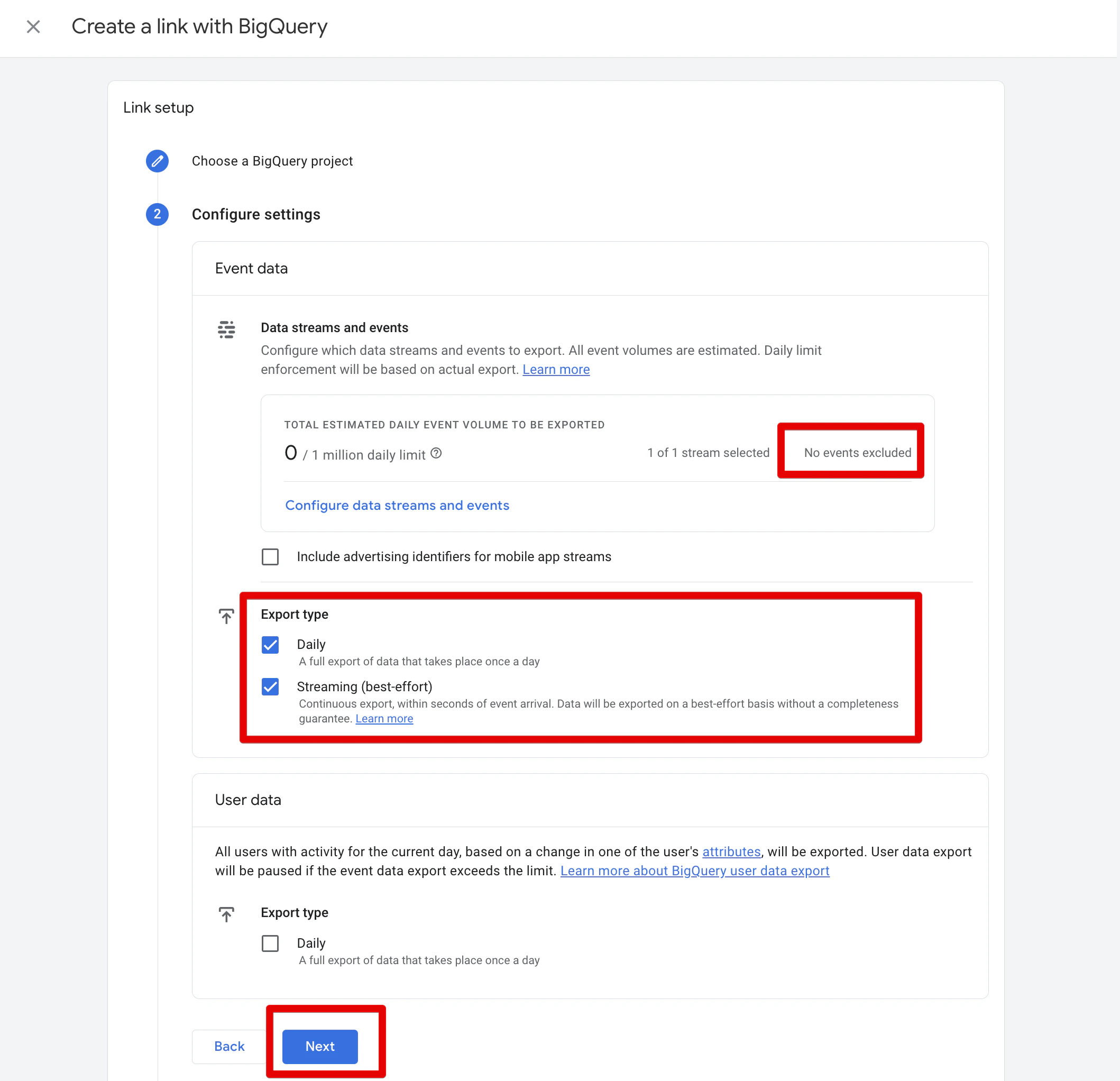
Enable both the Daily and Streaming export types.
-
Click Submit.